Your APIs.Always in sight.

Add one authenticated endpoint to your backend — GET /pulsar — and watch every component on your phone. Know the second something breaks. Know when it is back.

Coming soon to the App Store and Google Play · Free · No account

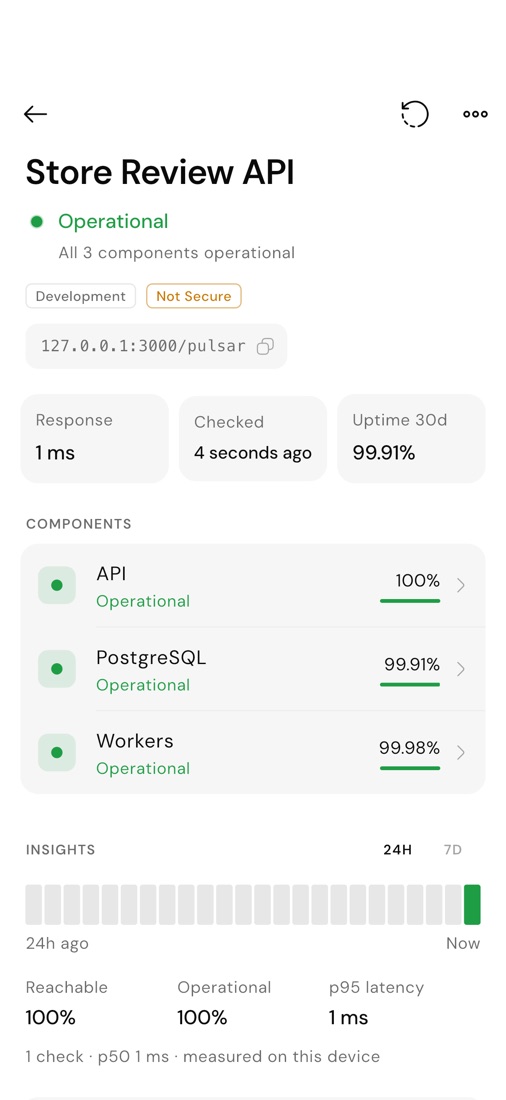
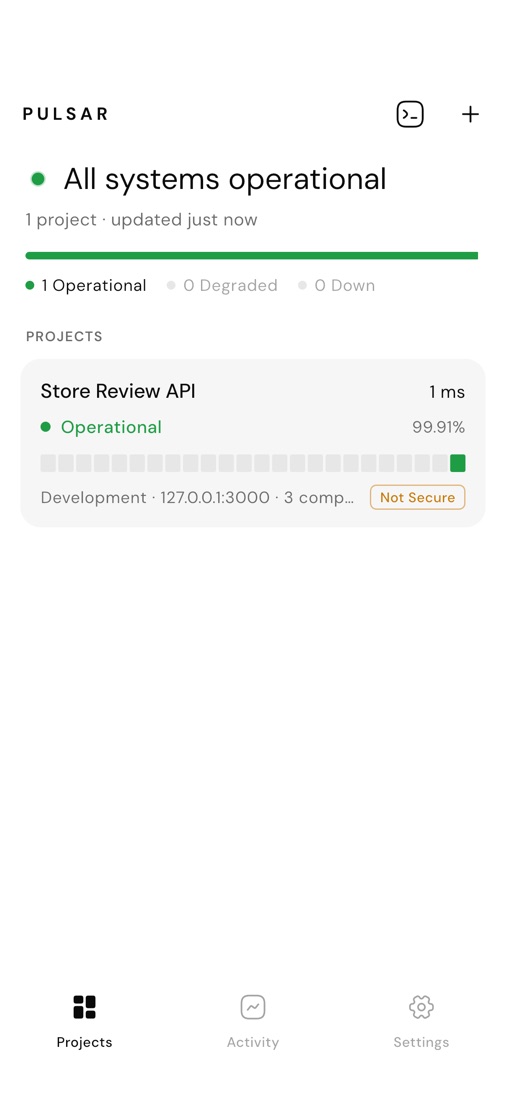
Pulsar showing a project with its components, response time and 30-day uptime

Three steps. Ten minutes.

No SDK, no account, no agent to install. One route and one token.

1 / 3

Add GET /pulsar

One route checks your database, cache, workers and providers, and returns a tiny JSON. Guides for 12 frameworks — or write it by hand in any language.

app.get("/pulsar", async (req, res) => {
  if (!authorized(req)) return res.sendStatus(401);
  res.set("Cache-Control", "no-store").json({
    status: "operational",
    components: [{ name: "PostgreSQL",
      state: await checkDatabase(), uptime30d: 0.9999 }],
    checkedAt: new Date().toISOString(),
  });
});
2 / 3
Protect it with one token

A long random PULSAR_TOKEN lives in your server environment and travels only in the Authorization header. Wrong token, no checks, 401.

PULSAR_ENABLED=true
PULSAR_TOKEN=<openssl rand -hex 32>
3 / 3
Add the project in Pulsar

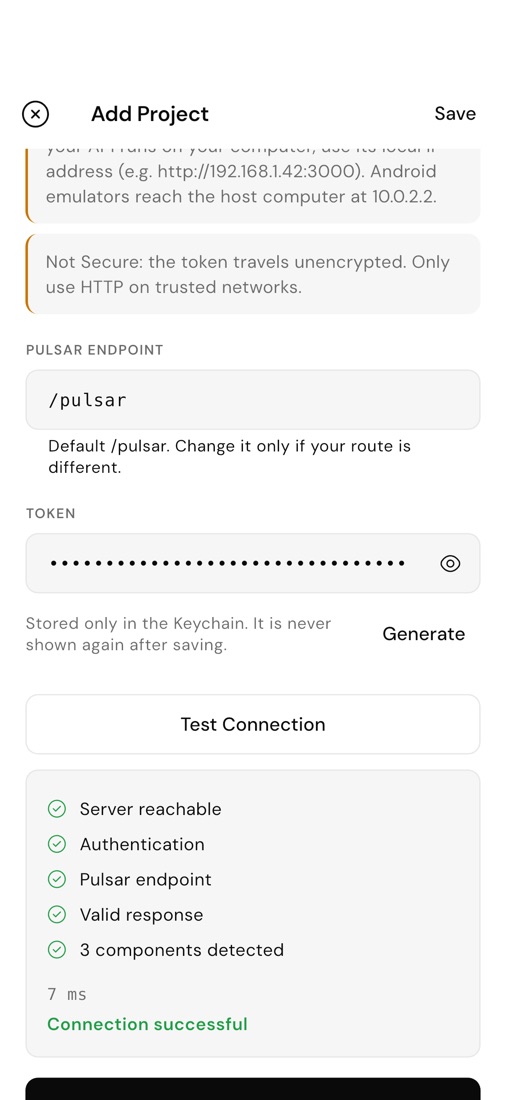
Paste the URL and the token. Test Connection checks reachability, authentication, the endpoint and the response — and tells you exactly what to fix.
Works with your stack.

If it can answer an HTTP request, it can speak Pulsar. Tested, copy-paste guides ship inside the app for the frameworks teams use most.

  • Node.js
  • Express
  • Fastify
  • NestJS
  • Next.js
  • FastAPI
  • Django
  • Laravel
  • Go
  • Rust
  • .NET
  • Spring Boot

Any other language works too: the protocol fits on one page.

Everything you need. Nothing you don’t.

Real-time status

Global status, every component, response time and 30-day uptime at a glance.

Only what changed

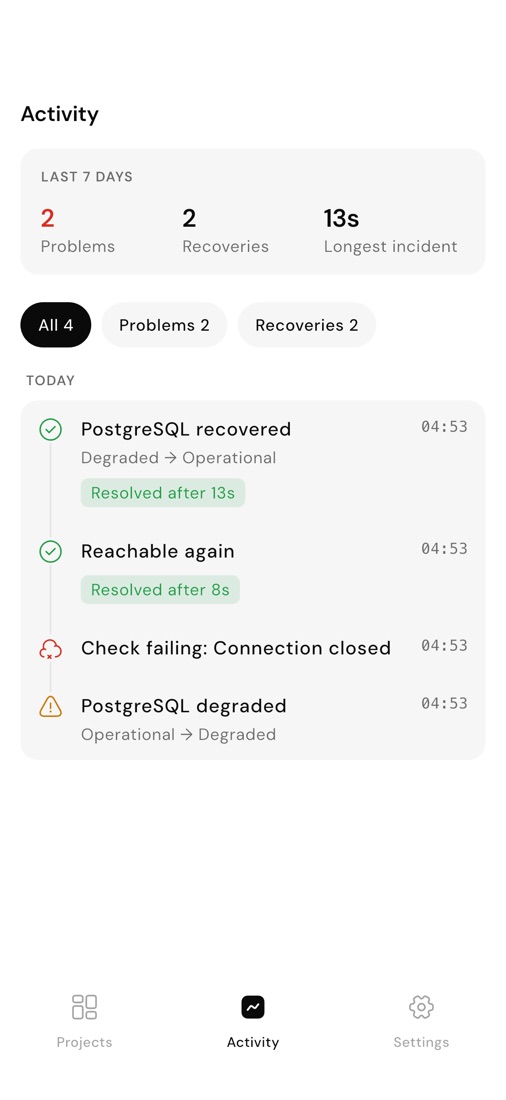
Degradations, outages and recoveries — never a notification for every check.

Errors in plain words

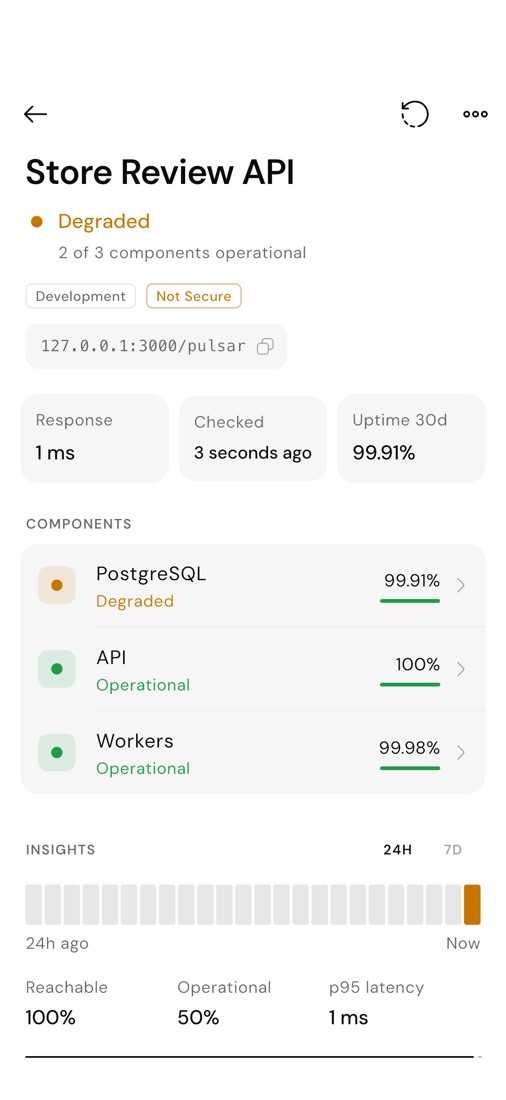
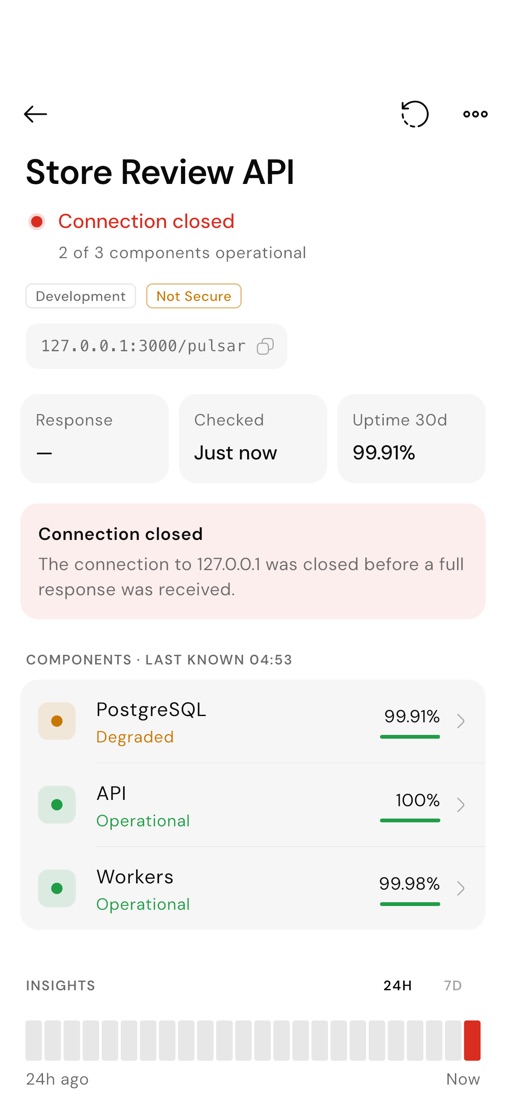
Timeout, TLS, wrong token, invalid payload: Pulsar says why, and keeps the last known state.

Insights

Reachability, latency percentiles and problem periods for 24 hours or 7 days.

Developer tools

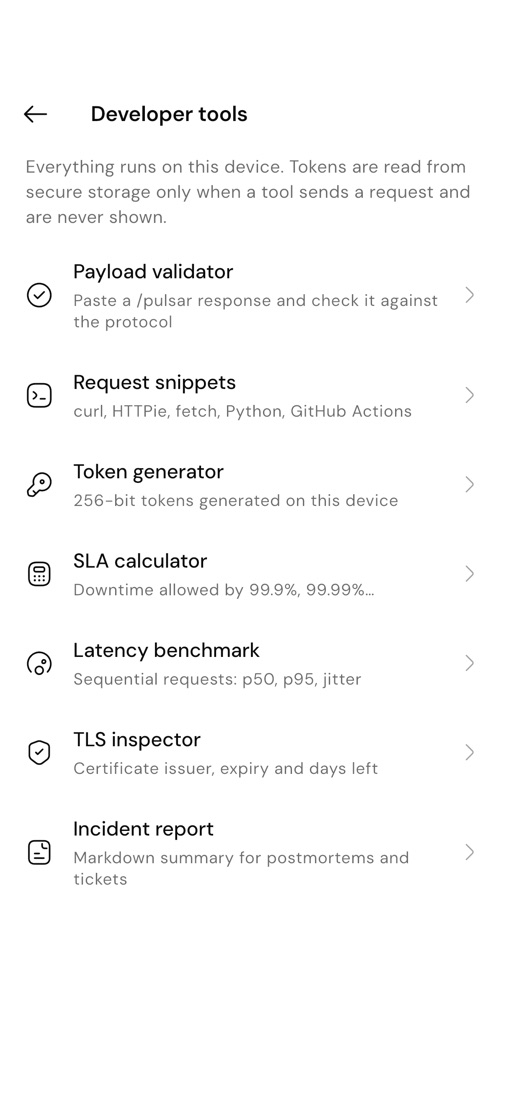
Payload validator, snippets, token generator, SLA calculator, latency benchmark, TLS inspector, incident reports.

App Lock

Face ID, fingerprint or passcode. Tokens never leave the Keychain or Keystore.

Notifications that only speak when something changes.

Pulsar tells you when a component degrades, goes down, or comes back — and stays quiet the rest of the time. Mute a project during a deployment and it keeps recording without buzzing.

  • State changes and recoveries, configurable
  • Per-project mute: 1 hour, 8 hours, until 09:00 tomorrow, or until you turn it back on
  • An activity timeline with how long every incident lasted

When it fails, Pulsar says why.

No red dot and a shrug. Every failed check is explained in plain words, and the last known state of each component stays on screen.

Authentication failed
The Pulsar token was rejected by your API.
Request timed out
No complete response from api.example.com within 10 s.
TLS handshake failed
The server certificate for api.example.com could not be verified.
Insecure redirect blocked
The server redirected from HTTPS to plain HTTP. Pulsar never sends your token over plain HTTP after a redirect.
Host not found
DNS lookup for api.example.com failed.
Invalid Pulsar response
Each validation error names the field and what was expected.

One page of spec. No SDK.

A status, a list of components with their state and 30-day uptime, and a timestamp. Unknown fields are ignored, so you can add your own. Six states, one meaning each.

  • Operational
  • Degraded
  • Partial outage
  • Major outage
  • Maintenance
  • Unknown
GET /pulsar · 200 OK
{
  "status": "degraded",
  "components": [
    { "name": "API", "state": "operational", "uptime30d": 1 },
    { "name": "PostgreSQL", "state": "operational", "uptime30d": 0.9999 },
    { "name": "Redis", "state": "degraded", "uptime30d": 0.9872 }
  ],
  "checkedAt": "2026-10-03T09:41:00Z"
}

Seven developer tools, all on your phone.

Small utilities for the moments around an incident. Everything runs locally; tokens are read from secure storage only when a tool sends a request.

  1. Payload validatorPaste a response and check it against the protocol, field by field.
  2. Request snippetscurl, HTTPie, fetch, Python and a GitHub Actions check — with $PULSAR_TOKEN, never your token.
  3. Token generator256-bit tokens and the matching .env line.
  4. SLA calculatorDowntime allowed by 99.9%, 99.99% and any target you type.
  5. Latency benchmarkSequential requests with p50, p95 and jitter.
  6. TLS inspectorCertificate issuer, expiry and days left for any host.
  7. Incident reportA Markdown summary of a project’s incidents, ready for a postmortem.

Security you don’t have to configure.

The defaults are the safe ones, and none of them can be switched off.

Tokens stay sealed

Stored only in the iOS Keychain or Android Keystore, never shown again, never written to logs, exports or notifications.

TLS always validated

Self-signed or mismatched certificates are rejected. There is no “trust anyway” button.

No token leaks on redirects

HTTPS-to-HTTP redirects are blocked and the token is never forwarded to a different host.

HTTP only where it belongs

Plain HTTP is allowed only for development servers on your local network, and always marked Not Secure.

App Lock

Face ID, fingerprint or your device passcode, after the delay you choose.

Nothing leaves your phone

No account, no servers, no analytics. Read the Privacy Policy for the details.

Your projects, tokens and history stay on your phone. Pulsar has no servers to send them to.

  • No account
  • No analytics or ads
  • Tokens in the Keychain or Keystore
Read the Privacy Policy

Monitoring, honestly.

Open, Pulsar checks as often as every 30 seconds. In the background, iOS and Android decide when checks run — so a phone is never 24/7 monitoring. We tell you upfront.

Speaks your language.

English, Español, Français, Deutsch, Русский, 中文, العربية and Norsk bokmål.

Made for the people who get the call.

Indie developers

Keep every side project, client site and API in one glance — without paying for another dashboard.

On-call engineers

Check the components behind an alert from your phone before you even open the laptop.

Agencies

One project per client and environment. Development, staging and production side by side.

During a deployment

Mute the project, watch every component come back, and see exactly how long anything was degraded.

Questions

Yes. There is no account, no subscription and no in-app purchase.

One endpoint. One token. Your project status.

Start with the guide

Questions? Write to info@arkplatforms.eu